
A Complete Guide to Mastering Alt Text
The visual web is amazing. We use pictures, drawings, infographics, icons, and other types of visuals to tell stories, to sell products, to communicate complex information in a blink of an eye. What if a user is unable to see that picture? That's when alt text comes to the rescue!
What is Alt Text (Image Alt)? Alt text (short for "alternative text") is a short text description of an image placed in the HTML code of a webpage. While this seems a tiny technical issue at first, alt is actually the pillar of web accessibility. Alt text is important for the users and has amazing SEO benefits.
What is Alt Text and Why is it So Important?
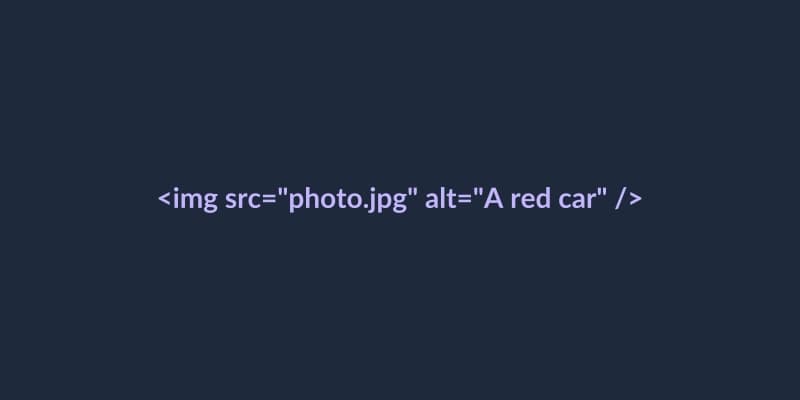
Technically speaking, alt text is an HTML attribute (alt="your text here") assigned to an image tag. The main idea is to have a textual representation of a visual. Should an image fail to load (for example, because of a slow internet connection), the alt text replaces the broken image and informs a user what he/she is supposed to see here.
But the real importance of image alt lies in inclusion. Without proper image alt descriptions, the visually impaired users will be blocked from your visual content. Equal access to information is not just a best practice; it is a mandatory part of ADA compliance. While ADA generally states that the digital environment should be accessible to everyone, writing proper alt text is one of the most common requirements in web accessibility checks and legal standards (such as WCAG). Without proper alt text, you're literally putting a "Do Not Enter" sign on some areas of your website for users with disabilities.
How Screen Readers Use Alt Text
In order to understand the importance of alt text, you need to know how people with severe visual impairments use the web. They need to use special tools called screen readers (JAWS, NVDA, VoiceOver in case of Apple computers and devices) in order to perceive digital content. Screen reader transforms text content of a web page into synthesized speech or Braille for a person who can't see it himself/herself.
When a screen reader reaches an image, it looks for the alt attribute.
If the alt text is written: The screen reader pronounces "Image," then your description. The user gets the context.
If the alt attribute is not present at all: The screen reader will pronounce the file name of the image. Can you imagine how annoying it would be to listen to an article while suddenly hear a voice saying: "Image: IMG_9945_final_v2_compressed.jpg". Terrible.
If the alt attribute is empty (alt=""): The screen reader will skip the image. It is actually the right approach to decorate images that have no context at all (like, some flourishing or spacers).
The SEO Benefits of Alt Text

While your priority when writing image alt text should be human accessibility, the second reason to do it is enormous - SEO.
Search engines' crawlers are basically the world's most active blind users. They can't "see" the pixels of a photograph in order to detect whether it is a photo of a coffee cup or a golden retriever. They rely mostly on the surrounding text and, of course, the alt text in order to understand what is shown in the image.
With the help of descriptive, non-keyword-rich (keyword stuffed alt texts do no good for SEO) alt text, you provide vital information to the search engines. And this information is the key to better rankings for your webpages for certain keywords. And the most important - this is the way your images can be displayed in Google Image Search, which can provide you with highly-targeted traffic. Image alt text is a win-win situation for accessibility and marketing both.
How to Write Perfect Alt Text
Writing alt text properly is an art. You need to strike the balance between being detailed enough and being too verbose. Here are the rules for crafting perfect alt text:
1. Be Specific and Contextual
Describe the image precisely, but keep in mind the context of your web page. For example, if you have an image of a red car on your car dealership website, your alt text should be as detailed as possible.
Bad: alt="car"
Good: alt="Red 2024 Ford Mustang driving on a coastal highway"
2. Don't start with "Image of" or "Picture of"
Screen readers automatically pronounce that an element is an image. So when you say "Image of a dog", the screen reader says "Image, image of a dog." Redundant and a waste of user's time. Just describe the subject directly. (Except the cases when the medium itself is the point - for example, "Oil painting of George Washington" or "Charcoal sketch of a city skyline").

3. Keep it concise (usually)
Your alt text should not exceed 125 characters usually. Many screen readers break longer text blocks into pieces, or the users might find it tiring to listen to it. In case you need to explain a complicated graph or chart, use short alt text and provide more detailed explanation in the text.
4. Use empty alt attributes for decorative images
In case your image is used just for visual decoration (line, background, or icon already described by text next to it) - use empty alt attribute: alt="".
5. Don't forget form buttons
If you use the image as a button (e.g., magnifying glass icon for search bar) - your alt text should describe the function of the button, not the visual.
Bad: alt="magnifying glass"
Good: alt="Search"
Conclusion
Mastering alt text is one of the easiest, but most important skills a content creator or developer can have. Spending just a little bit of time creating a thoughtful image alt description, you improve your SEO, become closer to ADA compliance and, what is the most important, you show respect to the time and dignity of every user of your website. Use our free single page scanner to find images missing alt text on that page or use our full site scanner to find images that are missing alt text on the entire website.